> For the complete documentation index, see [llms.txt](https://docs.mashmatrix.com/mashmatrix-sheet/llms.txt). Markdown versions of documentation pages are available by appending `.md` to page URLs; this page is available as [Markdown](https://docs.mashmatrix.com/mashmatrix-sheet/functions_about_displaying_data/change_column_setting/multi_column_setting.md).
# Bulk Setting of Multiple Columns
To change the settings of multiple columns at once, follow these steps:
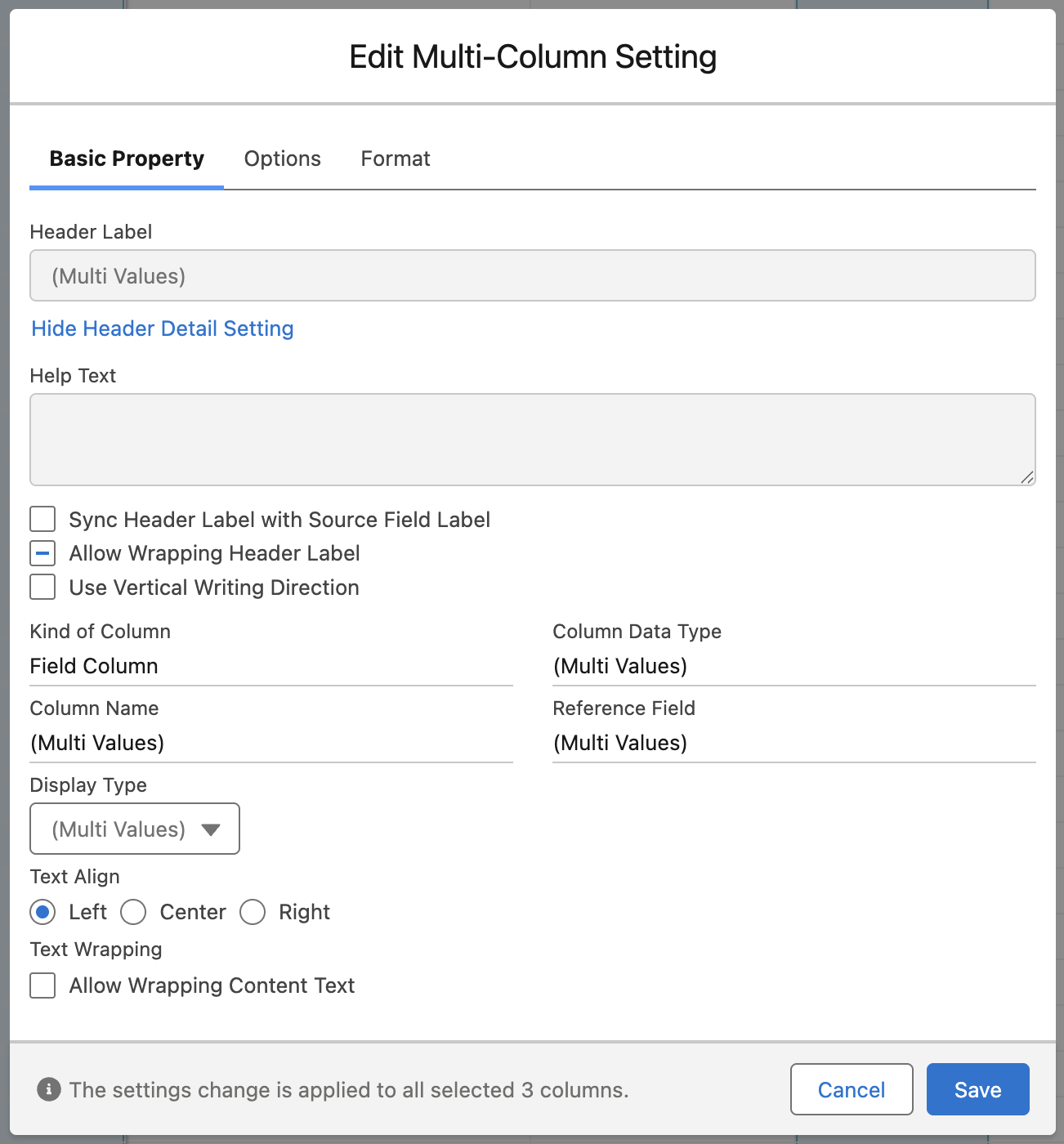
1. Shift-click or Ctrl-click (Command-click in macOS) the headers of the columns whose settings you want to change to select multiple columns at the same time.
2. Right-click on a header of the selected columns and select "Setting" from the context menu.
3. The Edit Multi-Column Setting dialog is displayed.
In the Edit Multi-Column Setting dialog, only the "Basic Property", "Options", and "Format" tabs are displayed. Only the column settings that can be changed in bulk are configurable.
If the same value is set across the selected columns, that value is displayed as is on the screen. For controls such as picklists, radio buttons, and checkboxes, that value is shown as preselected.
If different values are set across the selected columns, the value is displayed as "(Multi Values)". For checkbox-based settings, the checkbox shows a "-" mark.
## Basic Property
The following settings can be configured in bulk:
* Sync Header Label with Source Field Label
* Allow Wrapping Header Label
* Use Vertical Writing Direction
* Column Width
* Display Type (settings required by each display type can also be configured in bulk)
* Text Align
* Text Wrapping
If you enter a number in "Column Width", all the selected columns are set to the same width. The targets are the leaf columns that are displayed and not nested; hidden columns are not targeted.
## Options
The following settings can be configured in bulk:
* Set the Cells to be Editable
* Require Value Input
* Show Summary of Records (only enabled when the data type of the columns is the same)
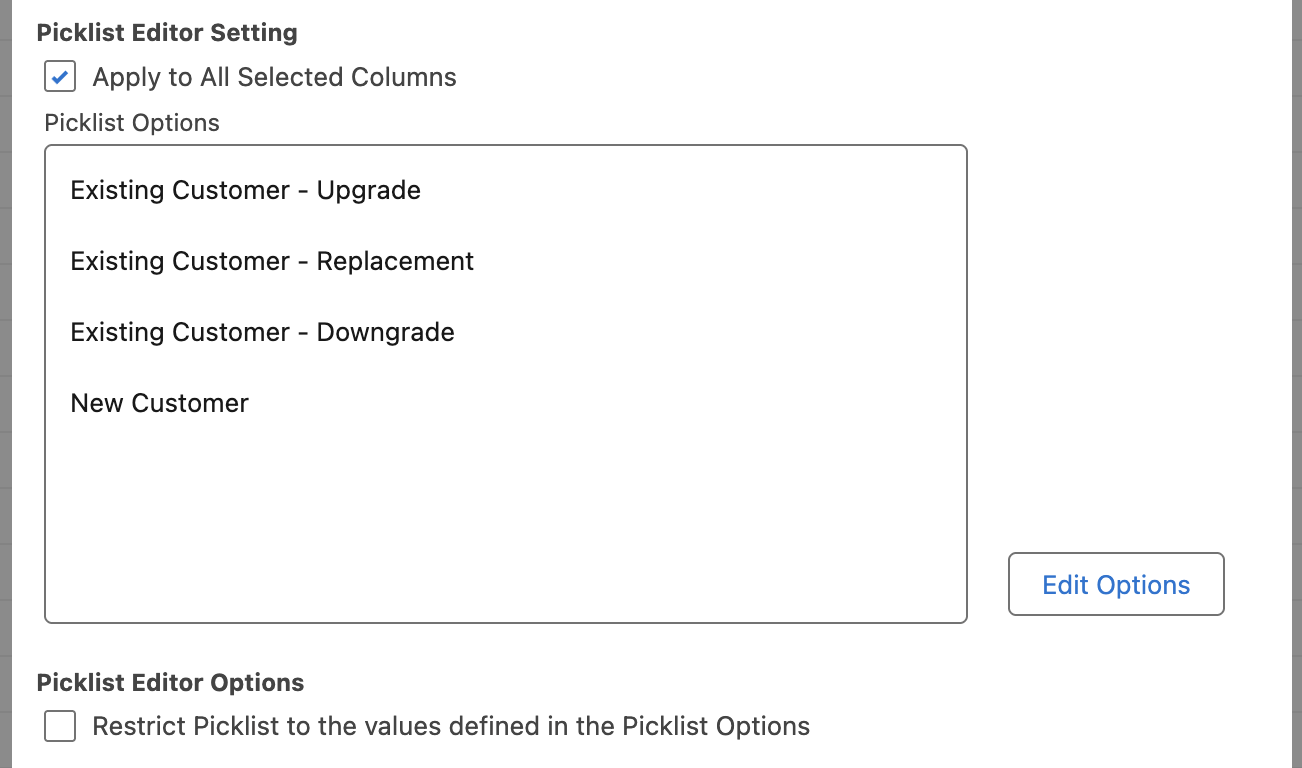
If the data type of all selected columns is the picklist type, you can configure or change picklist options in bulk by checking "Apply to All Selected Columns" in the picklist editing settings. Initially, the picklist options of the first selected column are displayed.
## Format
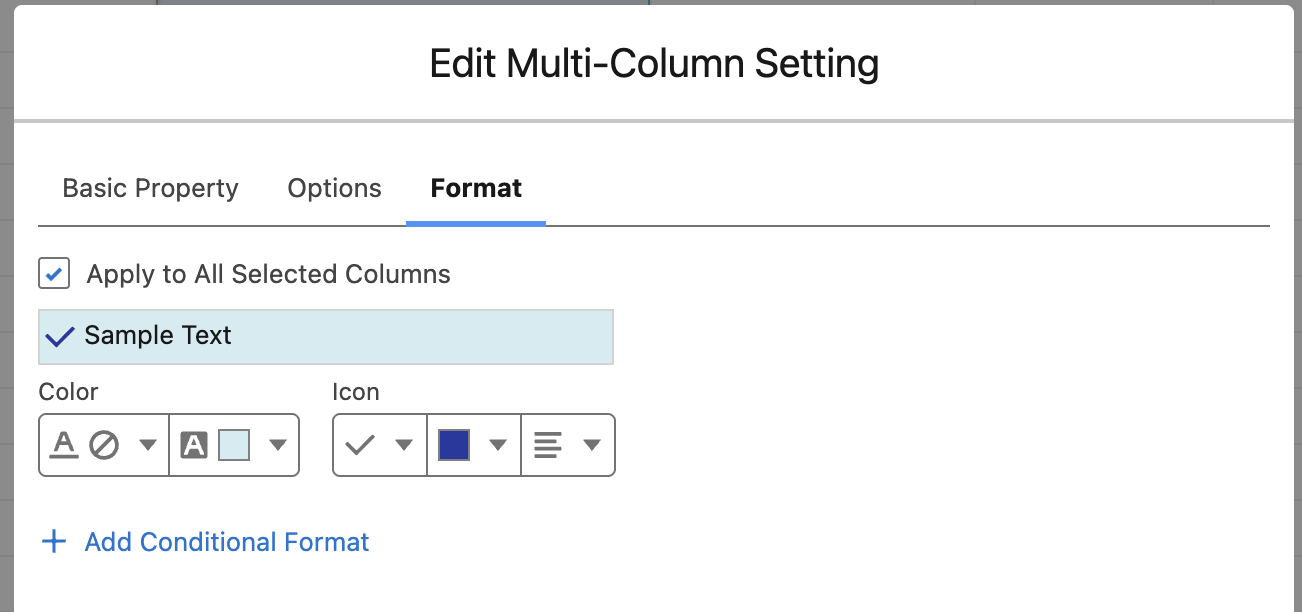
By checking "Apply to All Selected Columns", you can configure or change the format settings in bulk. Initially, the format settings of the first selected column are displayed.